Your Files Are In and Sorted. Introducing ZapFolder's File Sorting & Intake Routing Agent
Every intake process has a moment of chaos. A client submits a batch of files. Some are final assets. Some are reference material. Some are feedback on something from two weeks ago. One file is mislabelled. Another has no context at all. Your team now has to figure out what goes where — before any real work can start. This isn't an edge case. It's the default state of creative intake. And it's exactly what ZapFolder's File Sorting & Intake Routing Agent is built to fix.
The Intake Problem Nobody Talks About
Intake is the unglamorous beginning of every project. Files arrive with inconsistent naming, unclear instructions, and no obvious home. Someone on your team — usually someone experienced enough to know the project well — has to spend time triaging before anything can move forward.
At small volumes, this is annoying. At scale, it's a bottleneck.
What the File Sorting & Intake Routing Agent Does
The File Sorting & Intake Routing Agent reads newly submitted files. Files’ content, metadata, accompanying notes, and the context of the project they're entering and suggests where they should go and how they should be tagged.
It doesn't just look at filenames. It understands what the file is.
Using natural-language routing rules you define, the agent can suggest:
- Folder placement — which project, subfolder, or structural location the file belongs in
- Tag assignment — which visibility tags should apply based on the file type, content, or submitter role
- Routing flags — alerting the right team member when a file needs human attention before it can be correctly placed
If a file is ambiguous — unclear type, missing context, conflicting with something already in the project — the agent flags it rather than guessing. Your team gets a structured question to answer, not a quietly misrouted file to discover later.
A concrete example
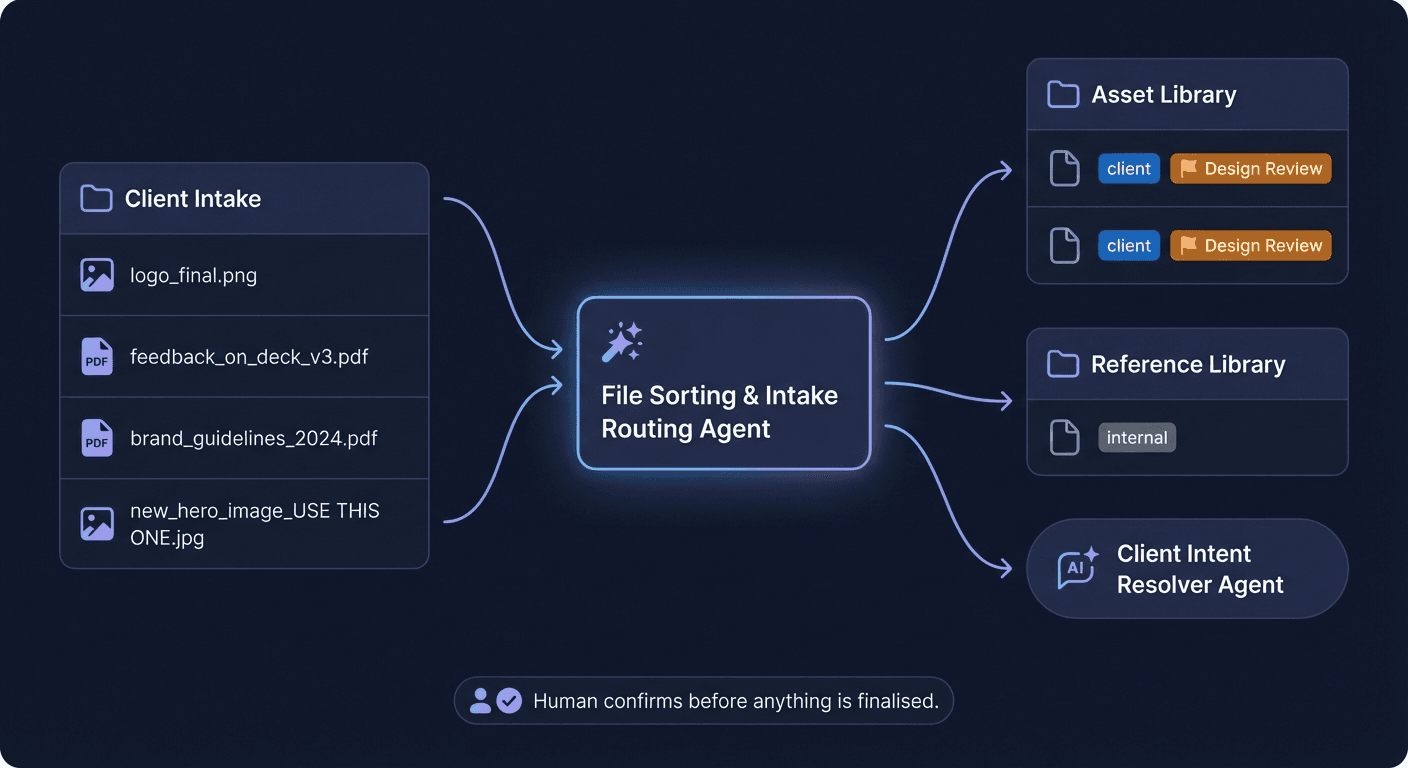
Imagine a client uploads four files to a shared intake folder with no notes:
logo_final.pngfeedback_on_deck_v3.pdfbrand_guidelines_2024.pdfnew_hero_image_USE THIS ONE.jpg
The File Sorting & Intake Routing Agent would:
- Route
logo_final.pngandnew_hero_image_USE THIS ONE.jpgto the active project's asset library, taggedclient, flagged for design team review - Route
brand_guidelines_2024.pdfto the reference library under the client's folder, taggedinternal - Parse
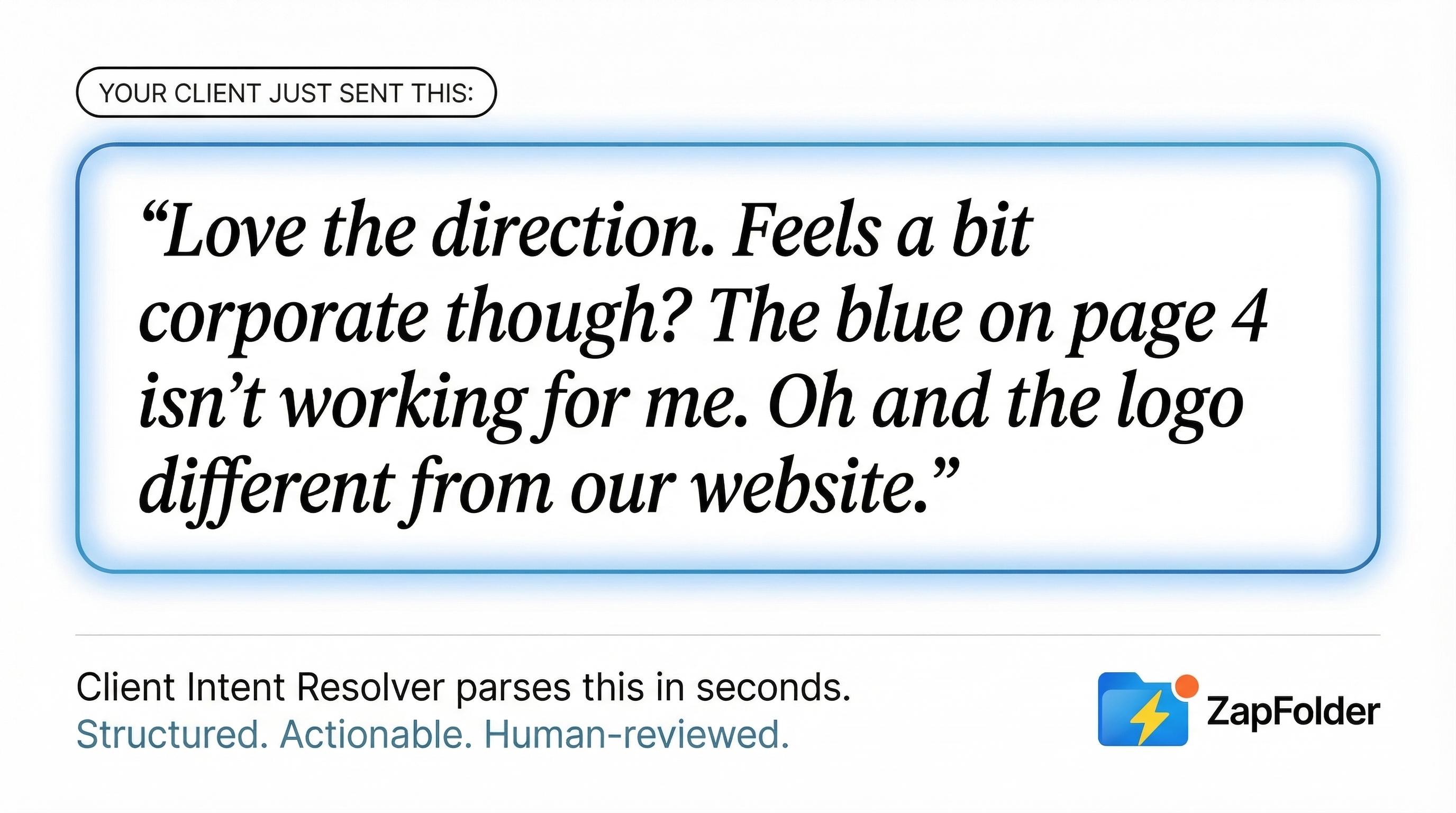
feedback_on_deck_v3.pdfand hand it off to the Client Intent Resolver (another ZapFolder AI Agent) for structured breakdown
What used to be a manual sort-and-label job is handled in seconds — with a human confirming before anything is finalised.
File Sorting & Intake Routing Agent diagram
Human-in-the-Loop by Design
The File Sorting & Intake Routing Agent doesn't move files on its own, but it can. The decision is yours. In case you would like to have full control the flow is as follows:
Every suggestion it makes is presented as a proposed action. Your team reviews the routing plan, adjusts anything that needs context only a human would have, and confirms before files land anywhere permanent.
This matters especially at intake. Files at this stage often carry ambiguity that isn't visible from the content alone — a brief that contradicts the original scope, a reference file that's actually a replacement, a submission from a new stakeholder who joined late. The agent surfaces what it can read. The human applies what they know.
The goal isn't automation. It's assisted judgment to make the human decision faster and better-informed.
Where It Fits in Your Workflow
The File Sorting & Intake Routing Agent is built for two of ZapFolder's core modes:
Intake Mode — the primary home. When external parties are uploading files, briefing documents, assets, or feedback into your workspace, the agent acts as the first layer of organisation. Files don't sit in an unstructured pile waiting for someone to deal with them. They arrive with a suggested destination and tag set, ready for a quick human confirm.
Library Mode — when your team is consolidating existing assets or ingesting a bulk transfer from a previous project or vendor. The agent helps classify and place files systematically, reducing the manual overhead of building a clean, navigable library from a raw dump of content.
In both cases, the same underlying job is being done: mapping unstructured submissions onto a structured workspace. That's what the agent owns.
Why Routing Logic Matters More Than You'd Think
Bad intake routing has a long tail.
A file in the wrong folder gets missed. A version tagged incorrectly becomes visible to the wrong people — or invisible to the right ones. A reference file treated as a deliverable triggers a review cycle it shouldn't. These are small errors with outsized consequences: lost time, confused stakeholders, and the quiet erosion of trust that comes from a process that feels unreliable.
Getting intake right doesn't just keep the workspace clean. It protects the accuracy of your visibility layer, your approval workflow, and your client communication. Everything downstream depends on files landing in the right place with the right context.
The File Sorting & Intake Routing Agent treats that first step with the seriousness it deserves.
The Bigger Picture
ZapFolder's AI layer is built around a simple principle: agents should own specific, recurring jobs in artifact workflows — and do them with precision.
Each agent is narrow by design. That's what makes them useful.
The File Sorting & Intake Routing Agent is part of ZapFolder's agentic roadmap, currently in development. If you're interested in early access, get in touch.